Deleting an Article
- Login to the Joomla! Administrator Back-end.
- Go to Content > Article Manger on the toolbar menu.
- Check the box next to the article(s) that you want to delete.

Then click Trash button.
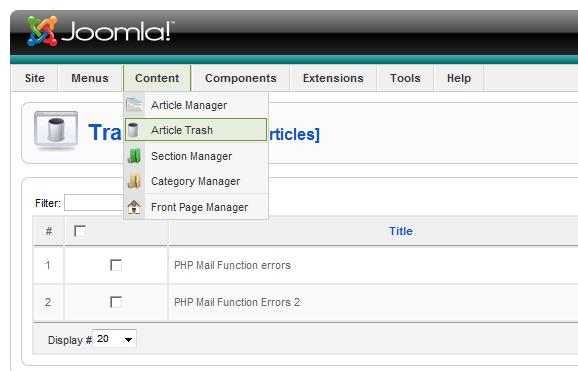
If you want to make sure that the Article is completely gone from the system (so no further roll back is available), go to Content > Article Trash and delete it from there (this action is not accessible to users with Manager's privileges).