Outlook 97
This article will guide you through setting up your email on Microsoft Outlook 97.
To set up your email on Microsoft Outlook 97, follow these steps:
In Microsoft Outlook, click on "Tools" then "Services".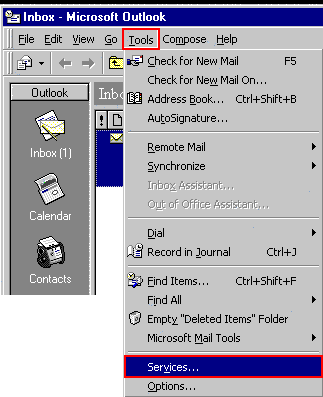
If "Internet Mail" is not in the list of services, click on "Add" and go to step 3. Otherwise, select it, click on "Properties" and proceed to step 4.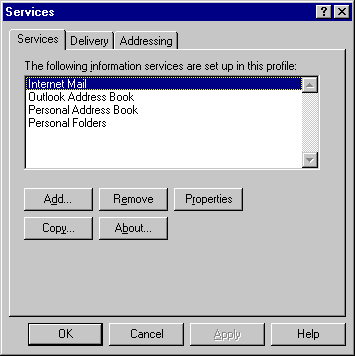
Select "Internet Mail" from the list of services and click on "OK".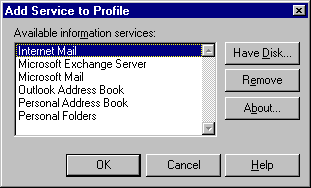
Fill in your email details as follows:
- Full name: Your name as you would like it to appear on the emails you send
- Email address: Your email address
- Internet mail server: mail.iinet.net.au
- Account name: The email address of the mailbox you're setting up
- Password: Your password as supplied by iiNet
Click on "Advanced Options"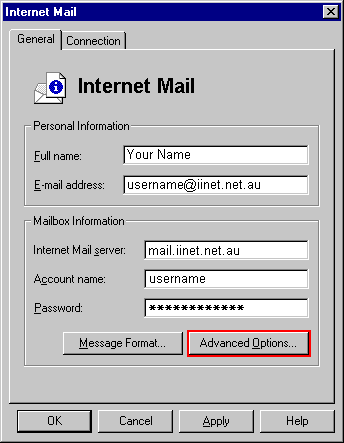
To set the outbound mail server, type in mail.iinet.net.au under "Outbound mail server" and click on "OK".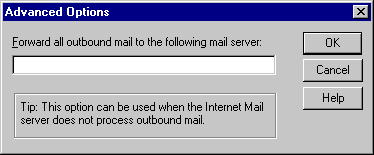
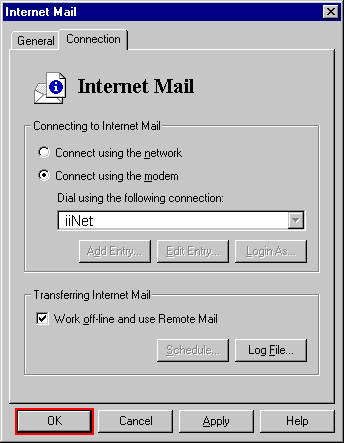
Click on "Connection" to set your connection settings.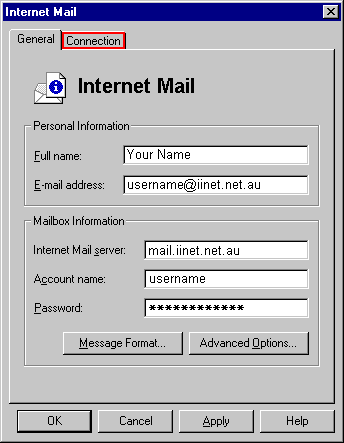
If you are using a dialup account:
- Select "Connect using the modem" under "Connect to Internet Mail"
- Select your dialup connection from the list
If you are using an ADSL router or are on a network:
- Select "Connect using the network"
Click "OK" to complete the setup.